Skip to content

Run OpenCode on Your Phone (iPhone + Android)

By Cosyra Editorial Team

Published Last updated 10 min read

You can run OpenCode on your phone today. Fastest path: install Cosyra for iOS or Cosyra for Android, sign in, and type opencode in the terminal. We pre-install OpenCode in an Ubuntu 24.04 x86_64 container alongside Claude Code, Codex CLI, and Gemini CLI, so none of the Termux misdetection failures apply. Sign up gets you 1 hour of free compute, no credit card; opt into a 10-hour, 7-day trial when you want more.

This guide was written by the Cosyra team. We tested OpenCode on iPhone and Android via Cosyra in April 2026, and re-ran the Termux setup against OpenCode 0.21.x to confirm what is still broken. Where we make claims about OpenCode itself, they are dated 2026-04-27 and cross-checked against the anomalyco/opencode repo and the official docs.

What is OpenCode?

OpenCode is the open-source AI coding agent maintained by Anomaly (the project moved from sst/opencode to anomalyco/opencode; GitHub still redirects the old URL). It ships under MIT, with about 149,000 stars on GitHub as of late April 2026. The codebase is mostly TypeScript with a small Rust component, distributed as prebuilt binaries via npm optionalDependencies, one binary per platform and arch combination.

The pitch versus the closed agents is the license, the lack of vendor lock-in, and the headless server mode. OpenCode brokers Anthropic, OpenAI, Google, and local models behind a single TUI; opencode serve starts a headless HTTP server you can drive from an IDE plugin, a script, or (relevant here) a phone. The README explicitly notes you can run the server "on your computer while you drive it remotely."

How can you run OpenCode on a phone?

You can run OpenCode on a phone three ways: a cloud Ubuntu container with OpenCode pre-installed reached from a native mobile app (Cosyra), Termux on Android via the proot-distro workaround, or Blink Shell on iOS into a VPS where you install opencode yourself. OpenCode needs a real Linux or macOS shell with the right binary for the right arch, so every approach puts the actual opencode process somewhere else and gives your phone a way to drive it. All three are current as of 2026-04-27.

1. Cosyra: cloud Ubuntu container, OpenCode pre-installed

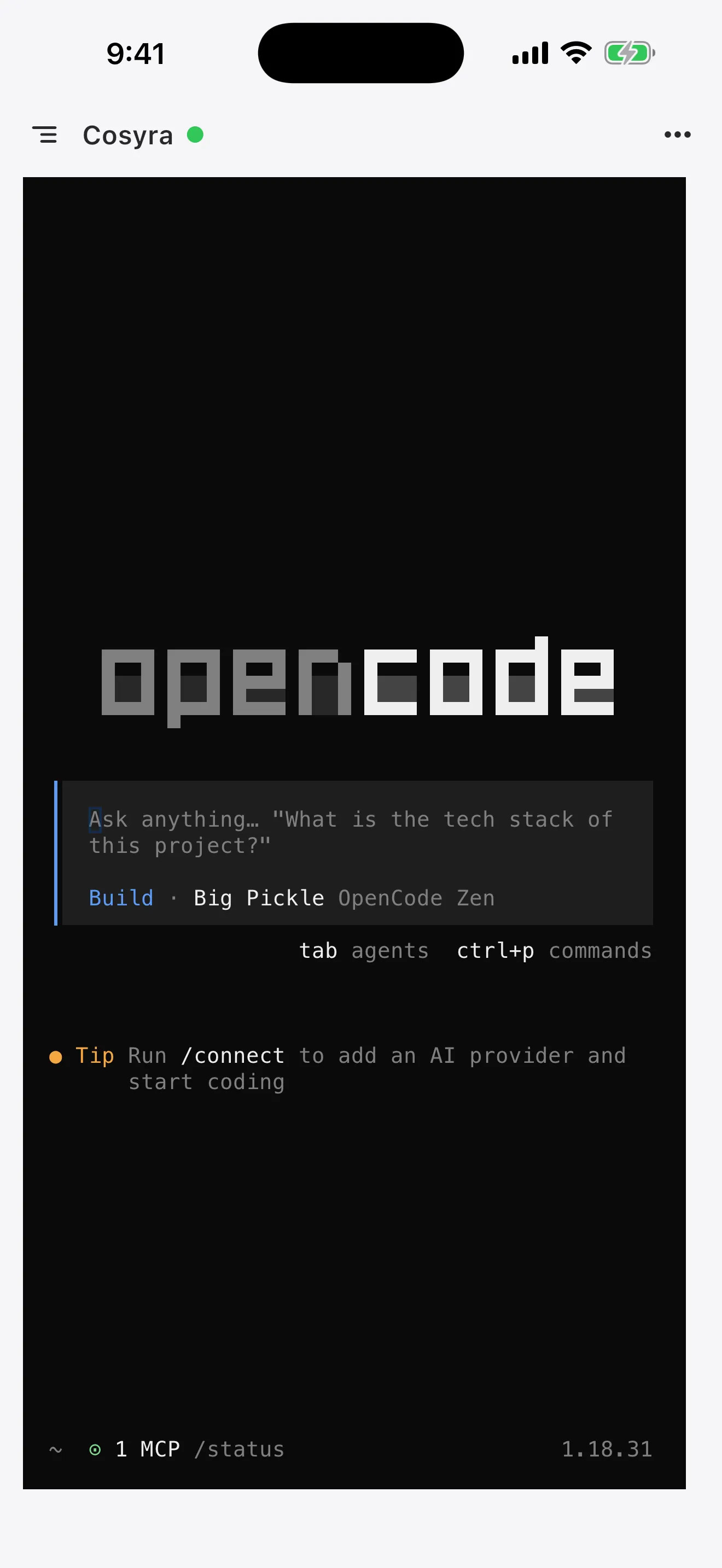
This is what we built. A native iOS and Android terminal that connects to a persistent Ubuntu 24.04 x86_64 container in the cloud. OpenCode, Claude Code, Codex CLI, and Gemini CLI are already on the image against a current Node 20+. You sign in, run opencode auth to connect your provider once, and type opencode.

2. Termux on Android, via proot-distro

Install Termux from F-Droid (the Play Store build returned in June 2024 as a separately-versioned Android 11+ build, but most install guides target F-Droid), then install proot-distro and run a Debian or Ubuntu chroot inside Termux. Inside that chroot, install Node 20+ and npm i -g opencode-ai. Why the chroot? Two open OpenCode issues. Issue #21043 says the launcher misdetects the Termux environment as plain Linux and pulls the wrong arch binary; PR #21106 has been in-flight to remove the hard-exit but was not merged as of 2026-04-25. Feature request #22805 asking for native Termux support was closed without a maintainer commitment.

3. SSH from Blink Shell into your own VPS (iOS only)

On iPhone or iPad, Blink Shell is the gold-standard SSH client. Spin up a VPS (Hetzner, Scaleway, DigitalOcean), npm i -g opencode-ai on it, SSH in from Blink inside a tmux session, and run opencode. Authenticate with opencode auth or by exporting your provider key. You can also point Blink at opencode serve over a tunnel if you prefer the HTTP API to the TUI.

How do you set up OpenCode on iPhone or Android?

You set up OpenCode on iPhone or Android in about three minutes with Cosyra: install the app, sign in, confirm opencode is on the PATH, run opencode auth to connect a provider, clone a repo, run opencode. No Node install, no npm, no Termux misdetection.

Step 1: Install Cosyra and sign in

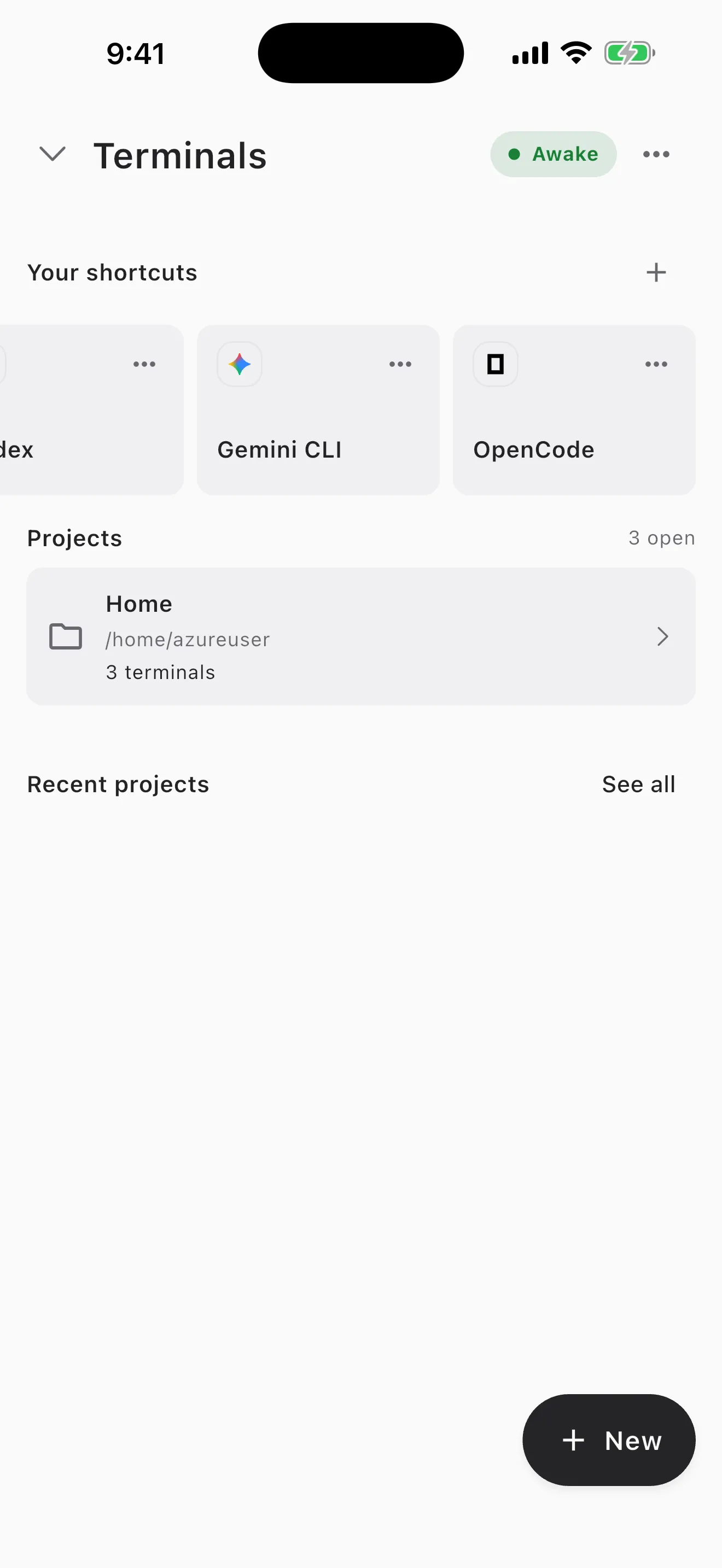
Download from the App Store or Google Play. Sign in with Apple, Google, or email. On first launch we provision a fresh Ubuntu 24.04 x86_64 container.

cosyra, fresh container first-launch banner

Welcome to Cosyra.

Ubuntu 24.04.1 LTS (x86_64)

Pre-installed: claude, codex, gemini, opencode


$ node --version

v20.18.1

Step 2: Confirm OpenCode is there

No install step. OpenCode is baked into the image. Verify in one command.

cosyra, verifying opencode is installed

$ opencode --version

0.21.4

$ which opencode

/usr/local/bin/opencode

Step 3: Connect a provider

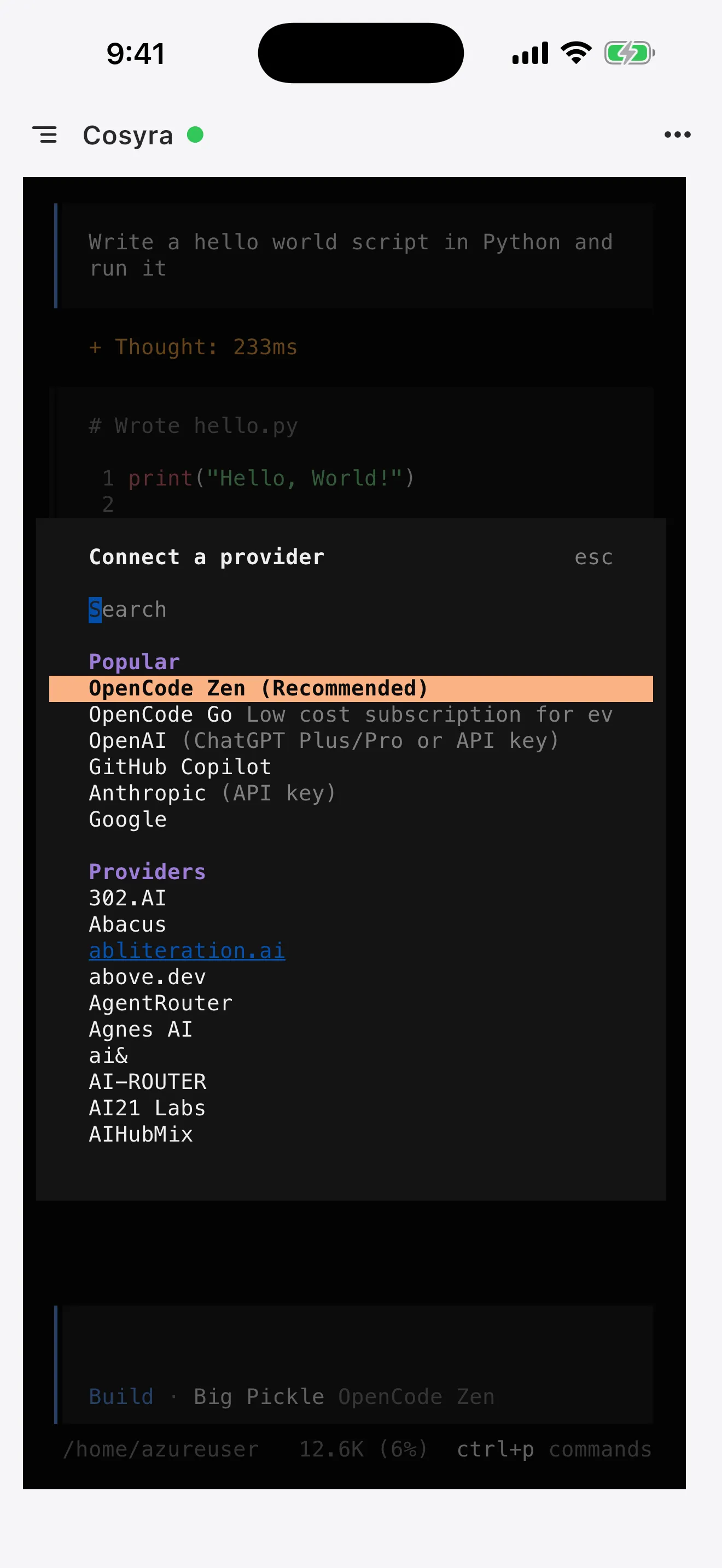
Run opencode auth and pick the provider you want. Anthropic, OpenAI, Google, and local backends are all in the list. The flow opens a URL; sign in on your phone browser, paste the verification code back into the terminal. Keys persist with your container's home volume, so you do this once per provider per container.

cosyra, connecting an OpenCode provider

$ opencode auth

Select provider:

> anthropic

openai

google

local

Open https://opencode.ai/auth/... on your phone

Code: ****-****

Connected: anthropic

Step 4 (optional): Use an env-var key instead

If you would rather not run the auth flow, export a provider key directly. OpenCode reads ANTHROPIC_API_KEY, OPENAI_API_KEY, and similar.

cosyra, exporting a provider key

$ echo 'export ANTHROPIC_API_KEY="sk-ant-..."' >> ~/.bashrc

$ source ~/.bashrc

$ echo ${ANTHROPIC_API_KEY:0:8}...

sk-ant-a...

Step 5: Run your first OpenCode session

cosyra, running opencode on a project

$ git clone https://github.com/your-org/your-project.git && cd your-project

$ opencode

opencode 0.21.4

workspace: /home/cosyra/your-project

agent: build (default, edit access)


> Read the README and propose three small

refactors. Show diffs before applying.

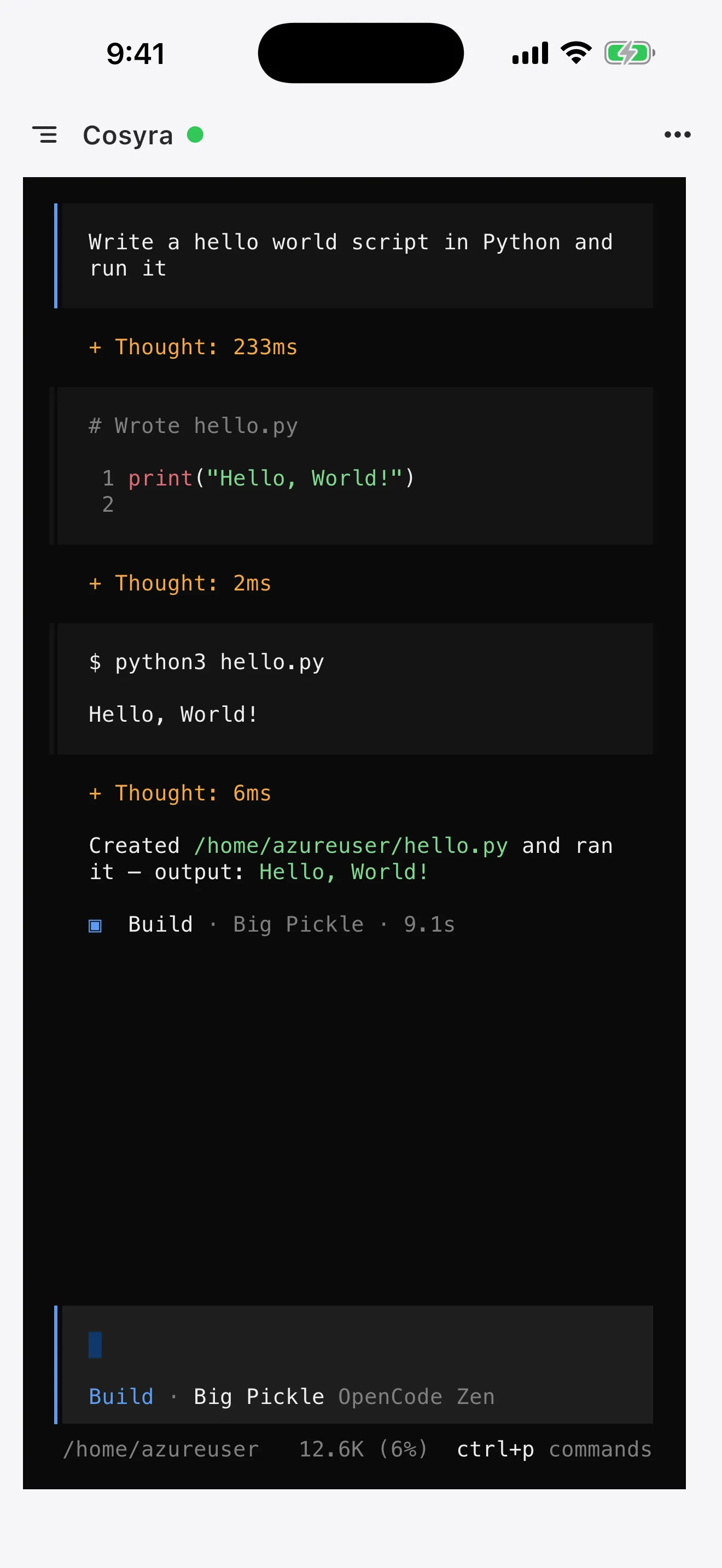
OpenCode reads the repo, proposes diffs, and waits for your approval before writing. The default build agent has edit access; the plan agent is read-only if you want to think before touching code. Both ship in the box.

Try it free. 1 hour on signup, no credit card. OpenCode and three other agents pre-installed. App Store / Google Play / Pricing details

What does an OpenCode session on a phone look like?

OpenCode's specific phone unlock is the multi-provider switch on a flag (--model anthropic/claude-3.7 vs --model openai/gpt-5) plus the headless server mode. Three real sessions we run from a phone.

Compare two providers on the same task, on the train

You have a tricky bug. Open Cosyra, cd in, opencode --model anthropic/claude-sonnet-4-6, paste the failing test plus the suspect file, ask for a root-cause. New session: opencode --model openai/gpt-5, same prompt. Cross- check the answers. The unification under one CLI is what makes that fast.

Drive `opencode serve` from Blink on a VPS

On iOS, the Blink-plus-VPS path lets you run opencode serve headless and hit it from a separate Blink pane via the HTTP API. Useful when you want a long-running session that survives SSH reconnects. We do not host the serve mode for you on Cosyra; that is squarely a Blink+VPS workflow.

Read-only repo audit from the couch

Saturday, you are curious about a repo a coworker shipped Friday. opencode --agent plan launches the read-only plan agent. Ask it to summarize the repo, list the riskiest files, and propose what you would change. No write access, no accidental edits.

What are the real limits of running OpenCode on a phone?

The real limits are no offline mode, the Termux path is rough, opencode serve is on you to host, and your provider's rate limits still apply. Knowing where OpenCode stops helps you match it to the right job.

How does Cosyra compare to Termux+proot and Blink+VPS for OpenCode?

Cosyra wins for zero-setup, dual-platform, and skipping the Termux misdetection bug; Termux-plus-proot wins if you want a fully local setup and accept the chroot overhead; Blink-plus-VPS wins on iOS if you want a box you own and you want to run opencode serve. None is strictly best; each maps to a trade-off. Comparison as of 2026-04-27.

Feature Cosyra Termux + proot-distro Blink + VPS
OpenCode pre-installed Yes No (chroot install) You install on VPS
Platforms iOS + Android Android only iOS only
Termux misdetection (#21043) avoided Yes (x86_64 Ubuntu) Yes (chroot is real Linux) Yes
OpenCode license MIT (same binary) MIT MIT
Run `opencode serve` exposed publicly No (internal only) No (local only) Yes (your VPS)
Setup time (cold) ~3 min 30–60 min 30 to 60 min
Price (not counting tokens) 1h free, then $29.99/mo Free $19.99/yr + VPS (~$5–40/mo)

For the broader picture across all four AI agents on mobile, see our pillar guide on AI coding agents on mobile. Same walkthrough with Anthropic's tool: Claude Code on phone; OpenAI's: Codex CLI on phone; Google's: Gemini CLI on phone.

Frequently asked questions

Can you run OpenCode on a phone?

Yes, indirectly. OpenCode wants a real Linux or macOS shell with the right binary for the right arch. The three working paths are a cloud Ubuntu container reached from a native mobile app (Cosyra), Termux on Android via proot-distro, or Blink Shell on iOS into a VPS where you install opencode yourself. The README on github.com/anomalyco/opencode lists macOS, Linux, and Windows; there is no iOS or Android build.

Is OpenCode the same project as sst/opencode?

Yes. The repo moved from the SST organization to Anomaly (anomalyco on GitHub); GitHub redirects the old sst/opencode URL. The lead maintainer (@thdxr) is the same person who built it under SST. The npm package name remains opencode-ai.

Why doesn't OpenCode install cleanly on Termux?

Two open issues on the repo. Issue #21043 (opened 2026-04-04) reports that the launcher misdetects Termux as plain Linux and tries to run the Linux-x64 binary on Android-arm64, leading to "incompatible binary" failures. PR #21106 is in flight to remove the hard-exit but had not merged as of 2026-04-25. The earlier postinstall failure (#12515) was fixed when an opencode-android-arm64 binary was added to optionalDependencies, but the misdetection means most users still need proot-distro.

Did Anomaly commit to native Termux support?

No. Feature request #22805, "[FEATURE]: Termux native support," was opened 2026-04-16 and closed without a maintainer commitment to land it. The requester explicitly noted that Claude Code and Gemini CLI both work on Termux while OpenCode requires the proot-distro workaround. If native Termux is important to you, watch PR #21106 and the issue tracker.

What does `opencode serve` do?

opencode serve starts a headless OpenCode server with an HTTP API, documented under the CLI docs at opencode.ai/docs/cli/. It is the right entrypoint for IDE plugins, scripts, CI, and remote drivers. The README explicitly says you can run the server on one machine and drive it from another. Cosyra runs the TUI inside your container; if you want the HTTP API exposed publicly, the Blink-plus-VPS path is currently a better fit.

How do I install OpenCode without npm?

The official install script is curl -fsSL https://opencode.ai/install | bash, which detects your platform and arch and pulls the right prebuilt binary. Homebrew (brew install anomalyco/tap/opencode), Scoop, Chocolatey, Pacman, AUR, mise, and Nix are all in the README. On Cosyra you do not see this step; OpenCode is on the image already, sourced from the same prebuilts.

tl;dr

OpenCode runs on Linux or macOS with the right arch binary, not on phones directly. Three bridges: a cloud Ubuntu container with OpenCode pre-installed (Cosyra), Termux on Android via proot-distro, or Blink Shell on iOS into a VPS. We recommend the cloud container for most people because the Termux launcher still misdetects the environment and the native-Termux feature request was closed without commitment.

App Store / Google Play. 1 hour free on signup. No credit card.

Run OpenCode from your phone in three minutes. Install Cosyra, sign in, run opencode auth, type opencode.

See pricing