You can use Codex on your phone through Cosyra for iPhone or Cosyra for Android. Cosyra gives the phone a cloud Linux workspace with OpenAI's Codex agent already installed. You tap the Codex shortcut, sign in with your ChatGPT account, and it works on your code while you watch or while the phone is in your pocket.
This page covers getting Codex running from a mobile device. For the commands and flags, see Codex CLI on your phone. The screenshots are from the Cosyra 2.8.5 iPhone app, taken in October 2026.
What you need
- The Cosyra app. Core is $20 a month and Pro is $30. Eligible new users can start a 7-day free trial in the App Store app. Pricing has the details.
- A ChatGPT account. Codex usage is included with Plus, Pro, Business and Enterprise plans. An OpenAI API key works too.
- A browser on the phone. The sign-in happens on OpenAI's own page.
Get Codex running on a mobile device
Step 1
Install Cosyra and open Terminals
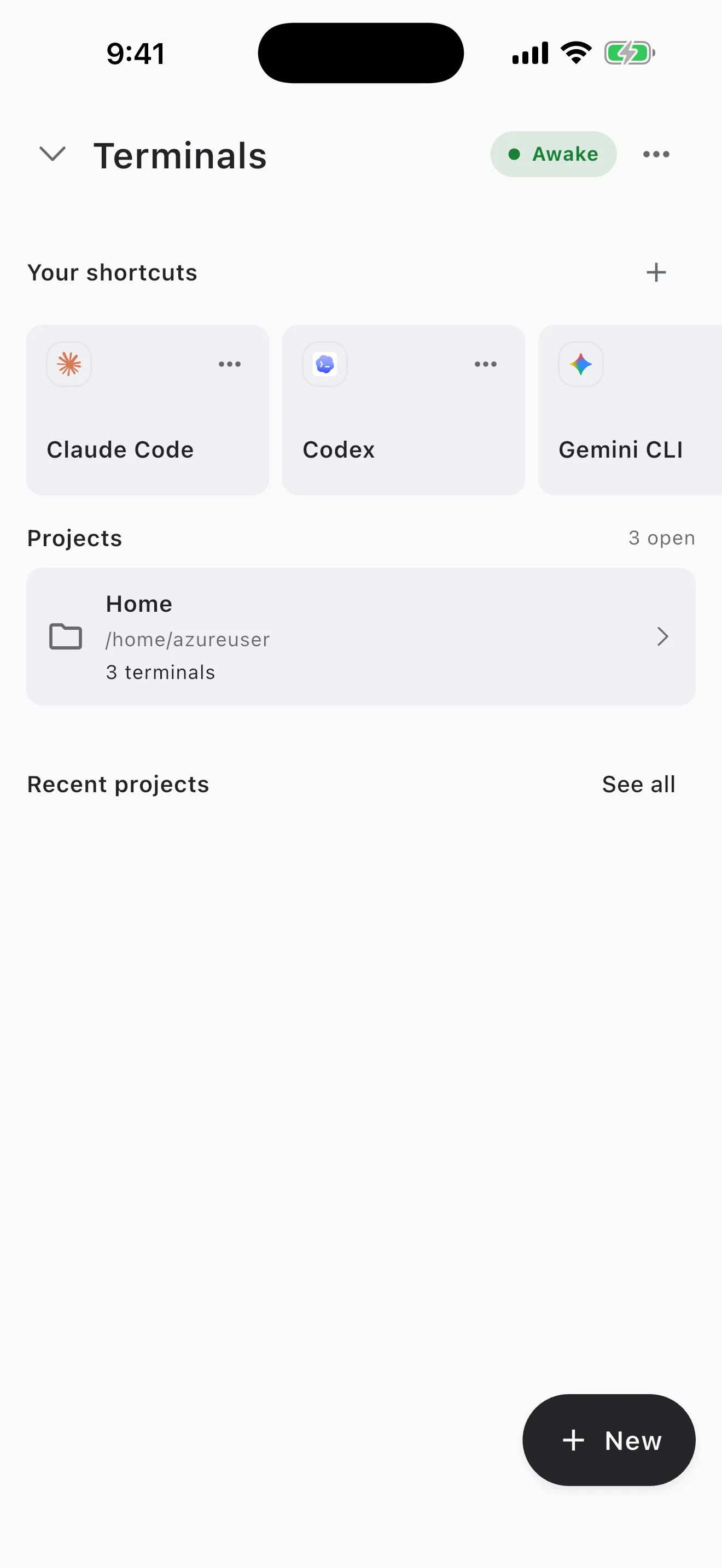
Install the app and sign in. It opens on Terminals. Codex is the second card in Your shortcuts.
Step 2
Tap the Codex shortcut
Tap Codex. The workspace wakes up and a terminal opens.
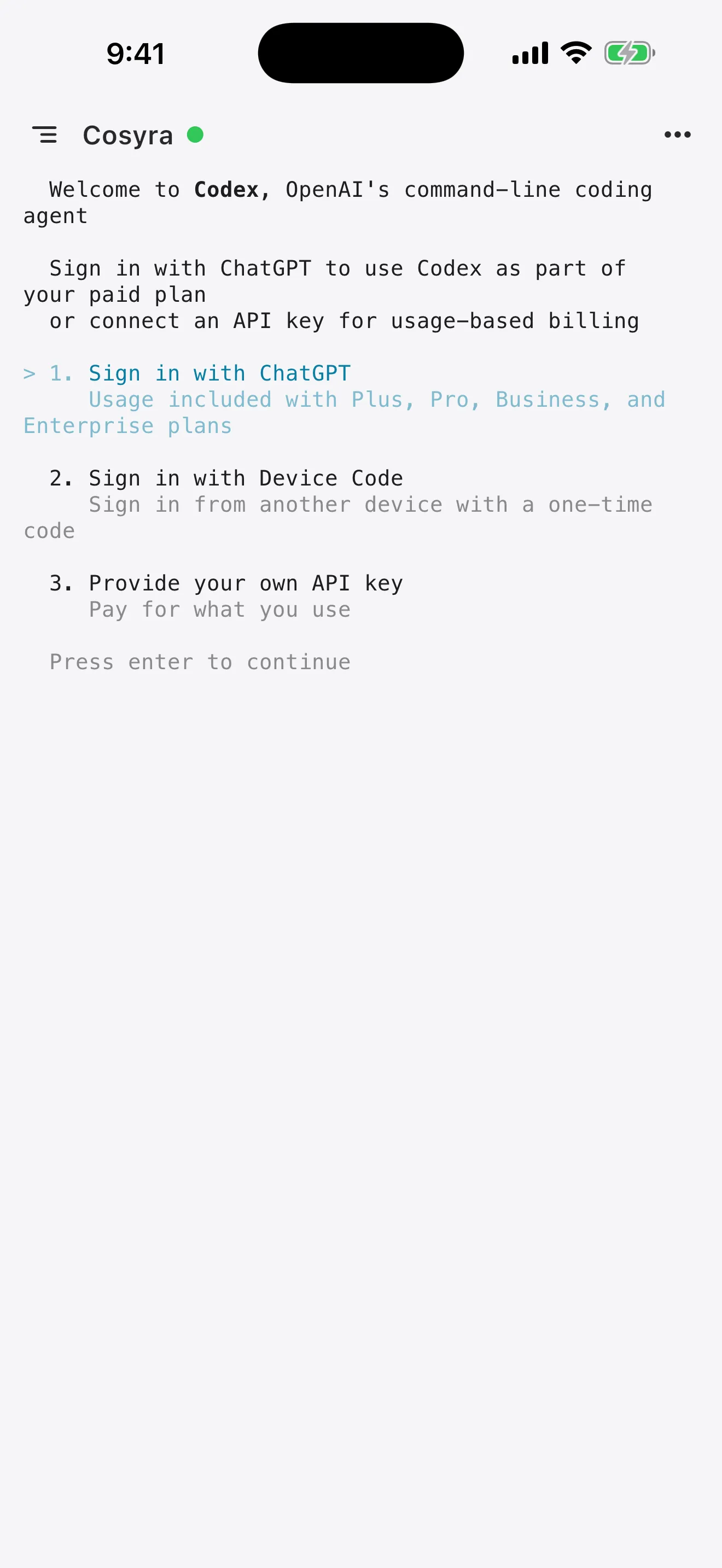
Cosyra shows a sheet called Connect ChatGPT, with a one-time code under Your code and a Sign in with ChatGPT button. Tap the button, sign in and enter the code. The sheet updates by itself when you finish, and Codex is signed in for every terminal on your account.
If you close the sheet, Codex asks the same question in the terminal, as in the screenshot.
Step 3
Sign in with ChatGPT
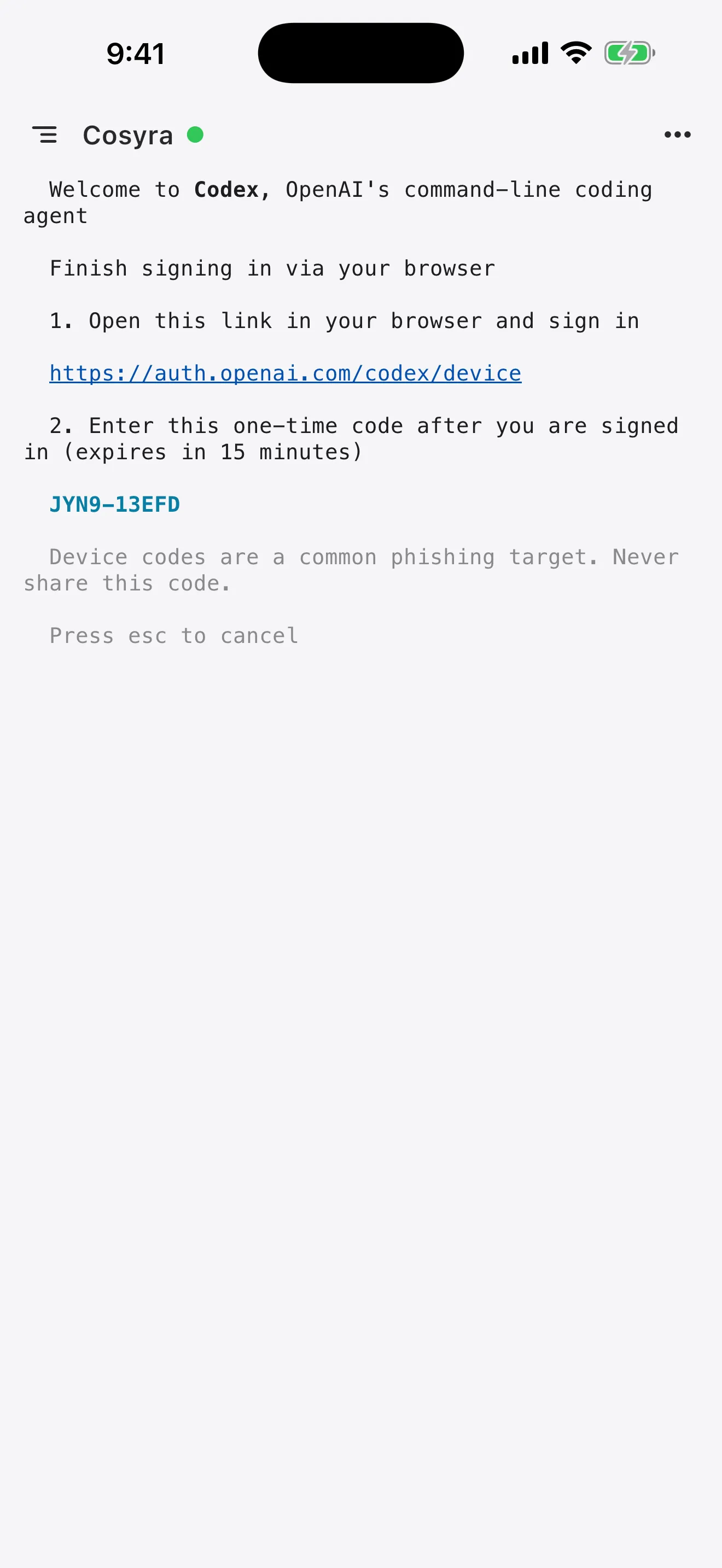
Open the link, sign in to ChatGPT and enter the one-time code. The code is good for 15 minutes.
Codex warns that device codes are a common phishing target. Only enter a code you asked for yourself, and never one somebody sends you.
If the page says device codes are disabled, turn on Device code authorization in ChatGPT under Settings, then Security, and try again.
Step 4
Give Codex a task
Codex works in the folder the terminal is in. To work on a repository, clone it first, or go back to Terminals, tap New and choose Open folder.
git clone https://github.com/you/your-repo.git
cd your-repo
codex
Then describe the job in plain words, for example "add input validation to the signup form and run the tests".
Codex in ChatGPT or Codex in a terminal
OpenAI offers Codex in two shapes. In ChatGPT you hand off a task and get a result back. In a terminal you run the agent yourself: you see each command, answer its questions, run the app and keep the files in your own workspace.
Cosyra is the second shape on a phone. It suits work where you want to steer, such as debugging, or where the code needs your own tools and secrets.
Leave it running
The terminal lives in the workspace, not in the app. Start a task on the train, lock the phone and Codex keeps going. Open Cosyra later and the session is on screen with everything it did.
Cosyra's toolbar above the keyboard adds Esc, Tab, Ctrl, Alt and the arrow keys, so Codex's menus work from a phone. The docs list every toolbar key.
Questions
Can I use Codex on my phone?
Yes. Codex is OpenAI's coding agent, and its command-line version needs a terminal. Cosyra gives your phone a cloud Linux workspace with Codex already installed. You tap the Codex shortcut, sign in with ChatGPT and it runs there.
Does my ChatGPT plan cover Codex on mobile?
Codex's own sign-in screen says usage is included with ChatGPT Plus, Pro, Business and Enterprise plans. You can also use an OpenAI API key and pay for what you use.
How is this different from Codex in ChatGPT?
Codex in ChatGPT runs tasks in OpenAI's cloud and hands back a result. Codex in Cosyra is the interactive agent in your own workspace: you watch it work, answer its questions, run the code and keep the files.
The sign-in page says device codes are disabled. What now?
Turn on Device code authorization in ChatGPT under Settings, then Security, and try the sign-in again.
Does Codex keep working when I lock my phone?
Yes. The terminal runs in your workspace. A task carries on while the phone is locked, and the session is still there when you open Cosyra again.
What does it cost?
Cosyra is a subscription: Core is $20 a month and Pro is $30 a month. Eligible new users can start a 7-day free trial in the App Store app. Codex usage is separate and comes from your ChatGPT plan or your OpenAI API account.
Related guides
- Codex CLI on your phone, for the commands, the API key route and non-interactive runs.
- Codex CLI on iPhone, Codex CLI on Android and Codex CLI on iPad.
- Claude Code on your phone and OpenCode on your phone.
- Claude Code vs Codex CLI on a phone, if you are choosing between them.