Skip to content

// guides

Pi Coding Agent on Phone: Tested Install + Real Size

The Pi coding agent runs on a phone, and on Android it runs on the phone itself. Pi publishes first-party Termux install docs, and Termux's own Node.js package clears Pi's version floor, so the honest answer is four commands and you are in. On iPhone there is no Termux, so Pi goes in a cloud Ubuntu container you reach from Cosyra for iOS or Cosyra for Android. We installed @earendil-works/pi-coding-agent v0.80.10 on 2026-07-20 and measured what it actually costs.

Quick decision: pick the path you came for:

Not sure Pi is the agent you want? The honest verdict ↓ covers who should pick something else.

This guide was written by the Cosyra team. We checked every claim against primary sources on 2026-07-20 rather than repeating what other pages say: the GitHub repository and its issue tracker, the npm package metadata, Pi's own Termux docs, the Termux APT index for aarch64, and a clean container for the install itself. Rather than assume the install works, we ran it.

Terminal capture showing npm install -g --ignore-scripts @earendil-works/pi-coding-agent adding 131 packages in 6 seconds and leaving 169 MB in the node_modules directory, total container disk growing from 398,060 KB to 604,824 KB, the pi binary symlinked from /usr/bin/pi to dist/cli.js, pi --version printing 0.80.10 in 0.816 seconds on the first run and 0.810 seconds on the second with no download, and pi with no credentials printing No API key found for the selected model
Run on 2026-07-20 in a fresh ubuntu:24.04 (linux/amd64) container with Node v22.23.1 and npm 10.9.8, the same x86_64 base we run. Six seconds to install, 169 MB on disk, and nothing downloaded afterwards.

What "Pi on a phone" actually means

Most agent-on-phone guides on this site open the same way: the tool has no mobile build, Termux chokes on it, here is the container. Pi breaks that template, and we would rather say so than reuse a shape that flatters us.

Pi is pure TypeScript. The npm package declares no os and no cpu constraint, so there is no per-platform binary to mismatch, no glibc-versus-Bionic ABI gap, and no architecture misdetection. That is exactly why Pi lands cleanly on Android where OpenCode on a phone needs more care. Pi's team then went further and wrote Termux documentation themselves, which almost nobody in this category does.

So the real question is not "can my phone run Pi" but "should my phone be the thing running Pi." Those are different questions, and the answer changes depending on whether you are on the couch for ten minutes or on a train for ninety.

The Termux path, straight from the vendor

This is Pi's own documented install, not a community workaround:

pkg update && pkg upgrade
pkg install nodejs termux-api git
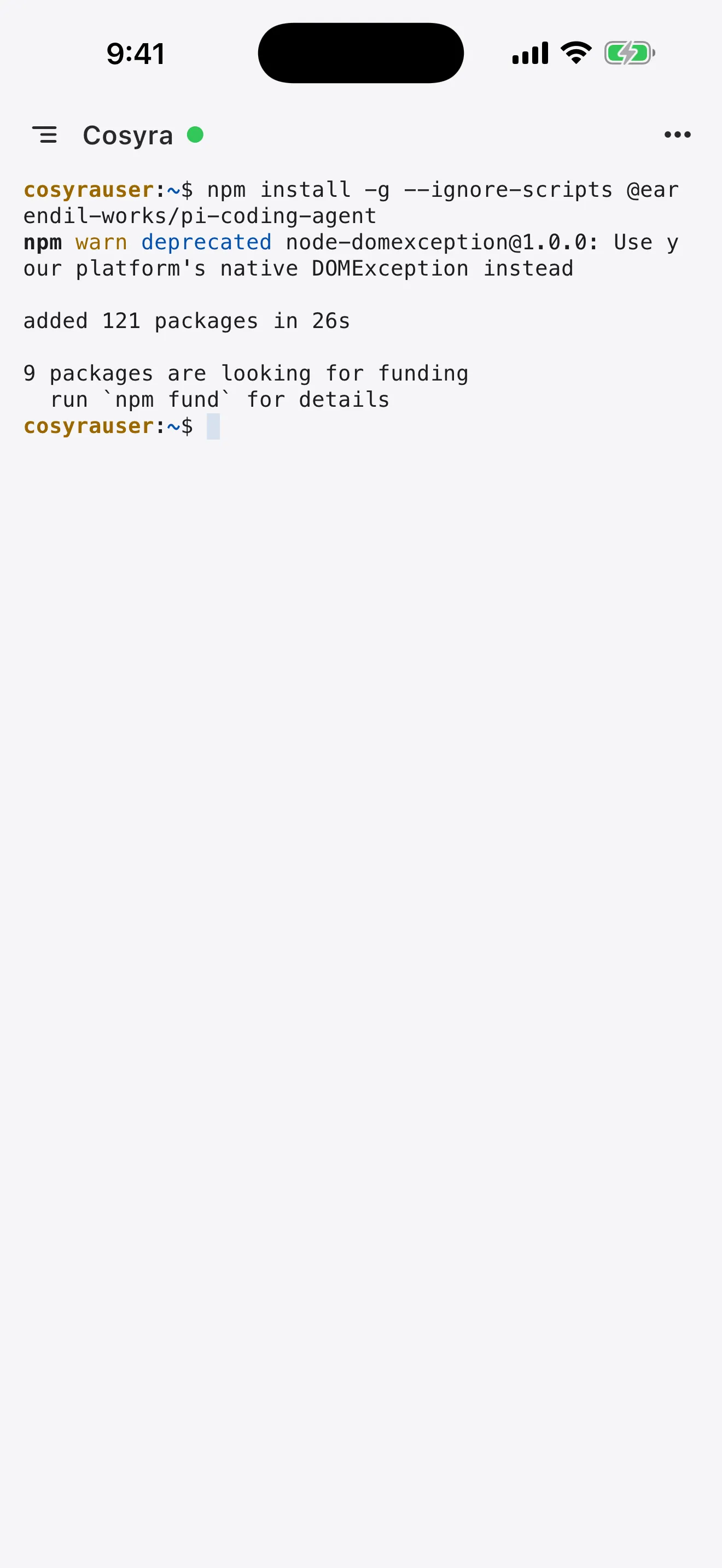
npm install -g --ignore-scripts @earendil-works/pi-coding-agent
mkdir -p ~/.pi/agent
pi

Two details worth knowing before you paste that in. The --ignore-scripts flag is the vendor's, not a hack. It skips an optional native clipboard module that has no Android ARM64 build. And termux-api only does anything if you also install the separate Termux:API app, which is what makes termux-clipboard-get, termux-battery-status, and termux-notification work from inside Pi.

The Node version question resolves cleanly. Pi requires node >= 22.19.0. Termux's APT index for aarch64 ships nodejs at 26.4.0 and nodejs-lts at 24.17.0, checked 2026-07-20. There is nothing to work around.

Get Termux from F-Droid or GitHub, not the Play Store. The Play Store build was abandoned years ago and its packages no longer resolve. Our Cosyra vs Termux comparison covers that history in more detail.

What the install actually costs

Pi's docs do not state an install size, so we measured one. In a clean ubuntu:24.04 linux/amd64 container with Node v22.23.1, the vendor command reported "added 131 packages in 6s" and left 169 MB in /usr/lib/node_modules/@earendil-works/pi-coding-agent. Total disk went from 398,060 KB to 604,824 KB.

What Measured 2026-07-20
Install time 6s (131 packages)
Package on disk 169 MB
Total container disk delta 398,060 KB → 604,824 KB (≈202 MB)
First run vs second run 0.816s vs 0.810s, no post-install download
Version installed 0.80.10

The flat first-run time is the good news and it is worth naming, because it is the opposite of what we found with Codebuff on a phone, where a small npm package pulled tens of megabytes on first launch. Pi charges you once, at install time, on whatever connection you were on. Do that on Wi-Fi and you never think about it again.

On a phone, 169 MB of node_modules is not free. It is battery while npm unpacks it, storage you do not get back, and a re-download every time you reset the environment. In our containers it lands once against 30 GB of persistent storage and stays there.

The gap in Pi's docs

Pi's Termux page lists three limitations honestly: no image clipboard, no native binaries on Android ARM64, and a termux-setup-storage step for shared storage. All true. What it does not mention is the one that actually ends agent sessions.

On Android 12 and later, the phantom process killer terminates background processes that the system did not spawn. A Pi run left working while you switch to a browser to check a Stack Overflow answer comes back as [Process completed (signal 9) - press Enter]. Nothing in Pi caused it and nothing in Pi can prevent it. We wrote up the mechanism and the device-level mitigations in the Termux signal 9 fix.

This is the honest shape of the trade-off, and we will state our opinion plainly: agent runs are exactly the workload Android is worst at hosting. An agent loop is long, bursty, and unattended by design. You start it and look away. Android's process model assumes the opposite, that anything you are not looking at can be reclaimed. The Termux community would reasonably say the mitigations work and you only set them once, which is true on devices that expose the setting. On plenty of phones they do not survive a reboot.

A container does not have that problem because the phone is not running anything. Close the app on the platform, get on the train, open it forty minutes later, and the agent is where you left it. That is the whole reason we build what we build.

The container path, step by step

1. Install Cosyra and sign in

Get the app from the App Store or Google Play and sign in. 1 hour free, no credit card, no trial signup. The container is Ubuntu 24.04 x86_64, so none of the Android ARM64 optional-dependency gaps apply, including the clipboard module Pi has to skip on a phone.

2. Check Node

node -v

Node is already installed in the container, alongside Python, Git, tmux, and vim. Pi needs 22.19.0 or newer.

3. Install Pi

npm install -g --ignore-scripts @earendil-works/pi-coding-agent

Cite that scope carefully. The package moved from @mariozechner/* to @earendil-works/*, and the old scope is frozen at 0.73.1 while plenty of tutorials still show it. The same trap exists on GitHub, where badlogic/pi is an unrelated 89-star tool for managing vLLM deployments. The coding agent is earendil-works/pi, 72,991 stars as of 2026-07-20 and moving fast enough that the number is stale by the time you read it.

Pi is not one of our pre-installed agents. We ship Claude Code, Codex CLI, OpenCode, and Gemini CLI in the image; Pi is a fifth you add with one command. Our AI coding agent CLI comparison covers how they differ.

4. Give it a model

pi

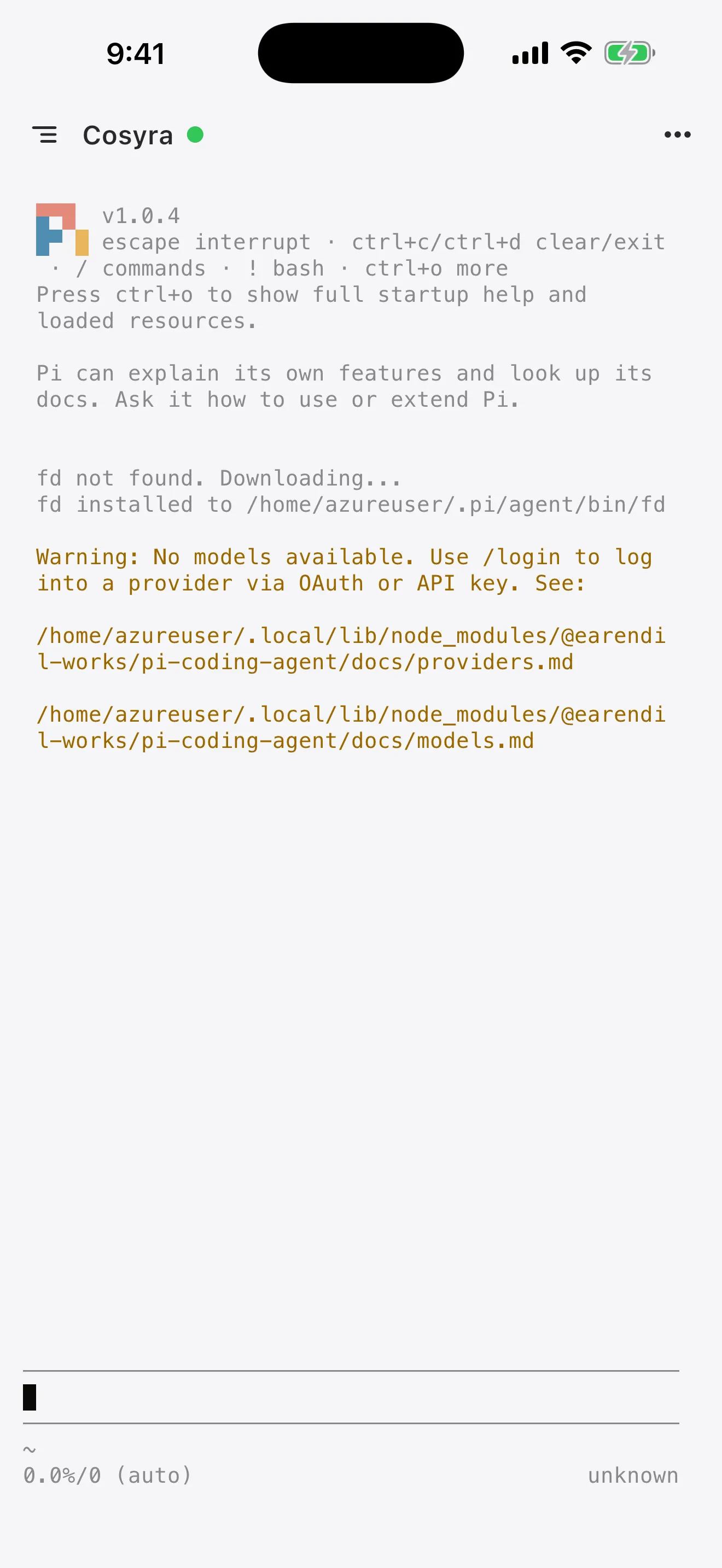
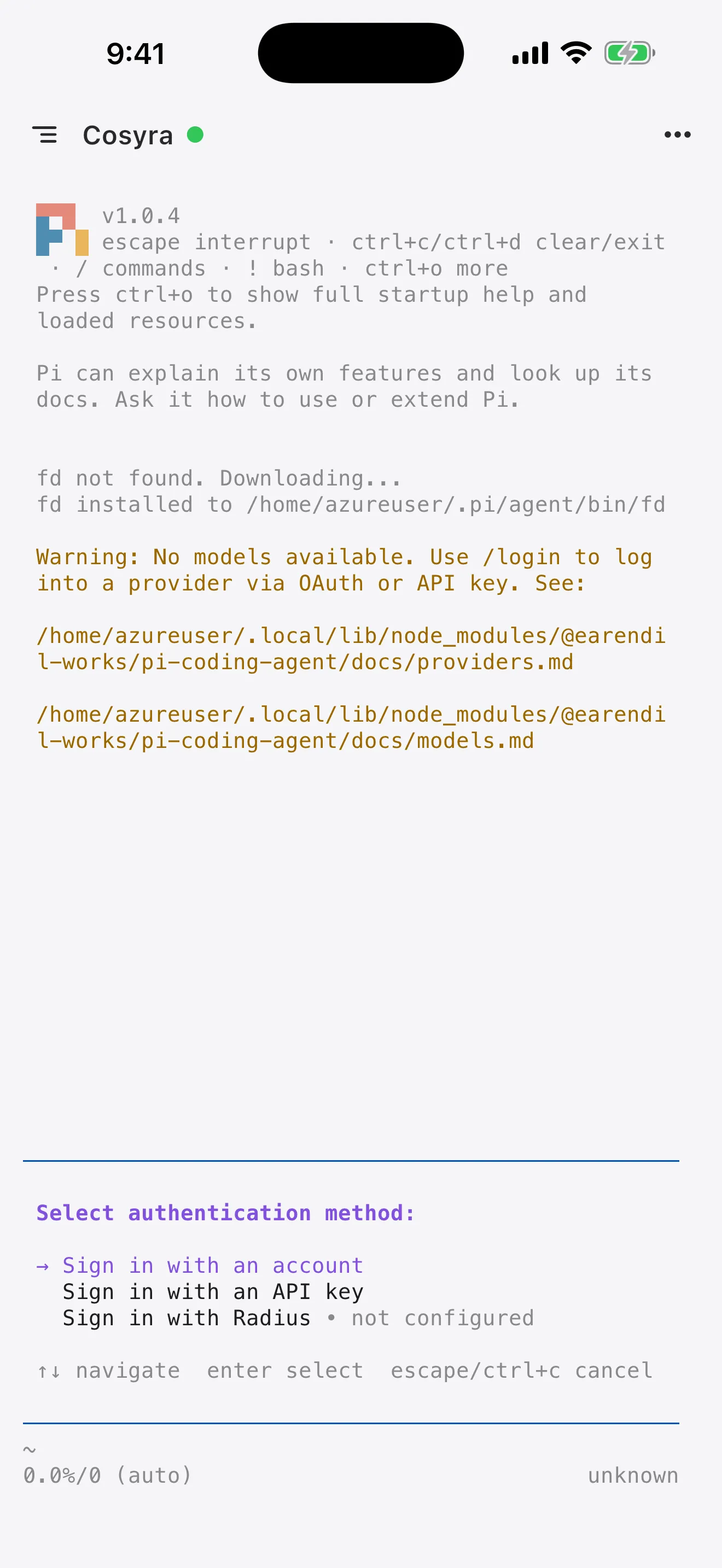
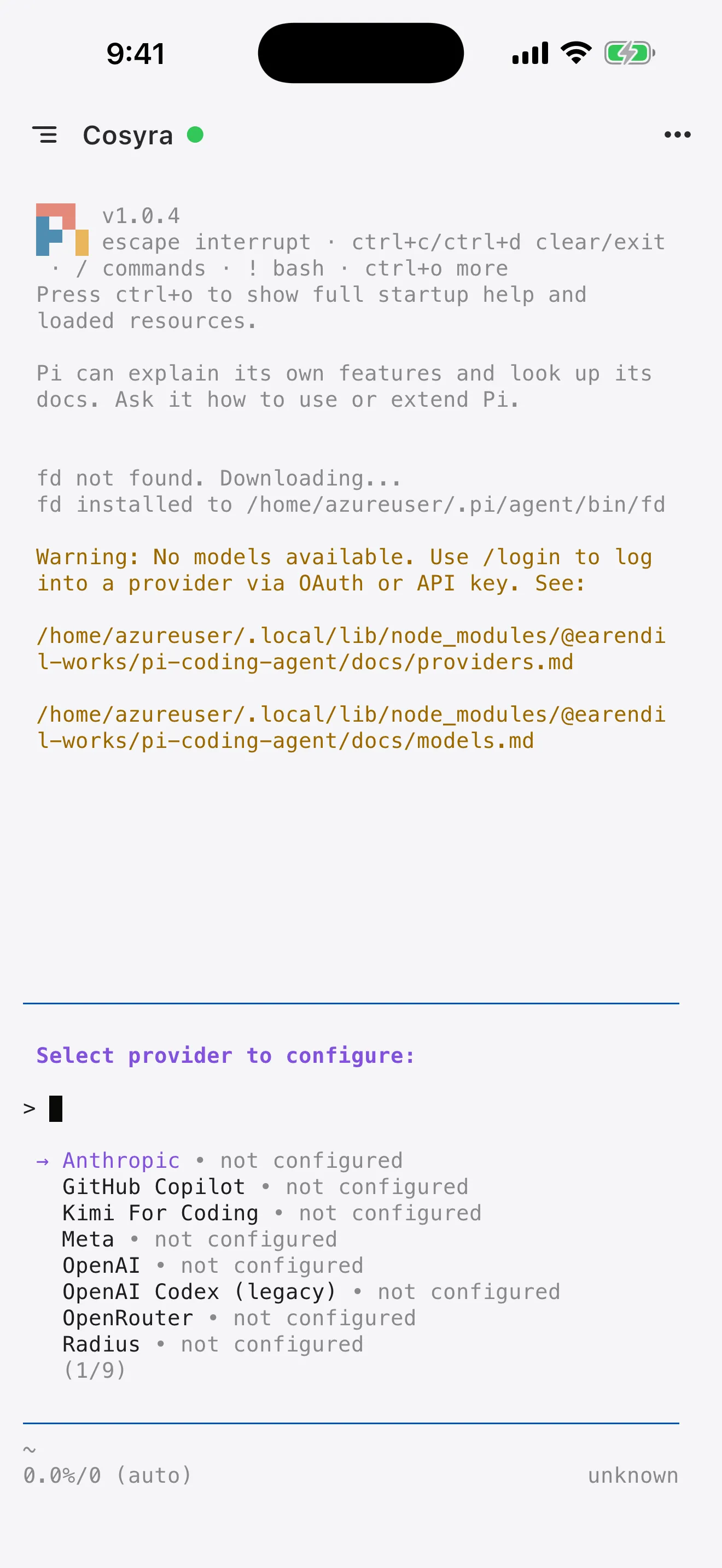
With nothing configured, Pi prints "No API key found for the selected model." and points you at its providers doc. We saw exactly that on the test box. From inside the TUI, /login authenticates a ChatGPT Plus or Pro, Claude Pro or Max, GitHub Copilot, or xAI subscription. Otherwise export a key:

export ANTHROPIC_API_KEY=sk-ant-...

This is the same bring-your-own-key posture we have, so it is not a point of difference between us. You pay Anthropic or OpenAI directly either way.

The agent needs somewhere to live. Cosyra is a persistent Ubuntu container reached from iOS and Android, with Claude Code, Codex CLI, OpenCode, and Gemini CLI already installed. Pi is one npm command away, and the session keeps running when your phone locks.

1 hour free, no credit card. See pricing

5. Keep it alive

In a container this is tmux, and it matters for the same reason it always does on mobile: the tunnel drops when you walk into a lift or your carrier hands you to a different tower. Our tmux on phone guide covers the setup.

What Pi is actually like on a small screen

Pi's TUI is dense, and a phone in portrait is about the least forgiving terminal there is. Two open reports are worth knowing about before you blame yourself. Issue #5990 describes the TUI flickering continuously when a confirm or select dialog is taller than the viewport, reproducible under roughly 15 rows, which is most phones in portrait with a keyboard up. Issue #4690 describes output being pinned to the end of the buffer during a long response, so you cannot scroll back until it finishes.

Neither is fatal, and both have the same practical answer: turn the phone sideways, or make the font smaller, or use a substrate where you can. Pi's four-tool surface actually helps here, read, write, edit, bash, confirmed in the help output on our test box. Fewer tools means fewer confirmation dialogs to render on a screen that cannot render them.

We think the phone keyboard is fine for agent-driven coding, and this is where that belief gets tested. You are not typing code. You are typing sentences and reading diffs, and the ratio matters more than the keyboard does.

Who should skip Pi, and who should skip us

Pi does several things better than we do, and pretending otherwise would be silly when the repository is right there.

It is MIT-licensed and free forever, with no subscription for the tool itself. It runs fully local against llama.cpp, so you can use it with no cloud in the loop at all. We cannot offer that, because our whole product is a cloud container. Its Termux support is genuinely good Android citizenship, better than most agents in this category. And its RPC and SDK run modes let you embed Pi inside another process, which we have no equivalent story for.

Try Pi on Termux first if:

Pick us instead if: you are on iPhone, where Termux does not exist. Or your runs are long enough that Android's phantom process killer keeps ending them. Or you want the same session on your phone at lunch and your laptop at night. The honest trade-off in the other direction: we have no offline mode. No connection means no terminal, and Termux does not have that problem.

One thing to check before committing either way. Pi does not speak MCP, on purpose. The project's position is that agents should write extensions on demand rather than install prebuilt ones. If your setup depends on MCP servers, see running MCP servers from a phone and pick a different agent, because this one is not going to grow the feature.

Frequently asked questions

Does the Pi coding agent run on Android?

Yes, and Pi documents it officially. The vendor's Termux page gives a four-command install ending in npm install -g --ignore-scripts @earendil-works/pi-coding-agent. Pi is a pure TypeScript Node.js CLI with no per-platform native binary, which is why it avoids the architecture problems that break other agents on Termux.

Is Termux's Node.js new enough for Pi?

Yes. Pi declares engines.node >= 22.19.0, and Termux's APT index for aarch64 ships nodejs at 26.4.0 and nodejs-lts at 24.17.0 as of 2026-07-20. A plain pkg install nodejs clears the floor.

Why does pi hang in Termux when I rotate my phone?

It was a reported regression. Issue #6038, opened 2026-06-24, describes the TUI hanging in Termux when the screen switches between portrait and landscape, with /model hanging afterwards. It is closed, so update before debugging. Related open issue #5990 covers TUI flicker when a dialog is taller than the terminal, which is easy to hit under about 15 rows.

Why does pasting multiline text into pi auto-submit on Android?

Issue #5598, opened 2026-06-10, reports that pasting a multiline block into the Pi TUI inside the Termux app can submit the message before you can review it, while the same Termux environment behaves normally when reached over SSH from a desktop terminal. The issue is closed.

Can I log in to a Codex subscription from Termux?

Now, yes. Issue #2635, opened 2026-03-27, described OpenAI Codex login defaulting to a browser callback that cannot work in a headless environment like Termux. The fix added a device flow that prints a URL and a code you complete in any browser.

Does Pi support MCP servers?

No, and it is deliberate rather than a roadmap gap. Pi ships four tools, read, write, edit, bash, and the project's position is that agents should write their own extensions on demand instead of pulling in prebuilt ones. If your workflow depends on MCP, pick an agent that speaks the protocol.

How big is the Pi install?

Larger than six seconds suggests. We ran the vendor command in a clean Ubuntu 24.04 x86_64 container on 2026-07-20 and measured 131 packages in 6 seconds, 169 MB in /usr/lib/node_modules/@earendil-works/pi-coding-agent, and total container disk growing from 398,060 KB to 604,824 KB. Nothing is downloaded afterwards.

tl;dr

Pi genuinely runs on Android. The vendor ships Termux docs, Termux's Node.js (26.4.0 on aarch64, 2026-07-20) clears Pi's 22.19.0 floor, and the install is four commands. Budget 169 MB and about six seconds, measured 2026-07-20, all paid up front, with nothing downloaded on first run. Use Pi on Termux if you are on Android, your sessions are short, and you want a free MIT agent with no cloud in the loop. Use Cosyra if you are on iPhone, or your long runs keep dying to Android's phantom process killer, or you want the same session on the phone and the laptop.

App Store / Google Play. 1 hour free, no credit card.

Give the agent a permanent address. Install Cosyra and get a persistent Ubuntu container that keeps your files, your logins, and that 169 MB of node_modules between sessions.

See pricing · All AI coding agents on mobile