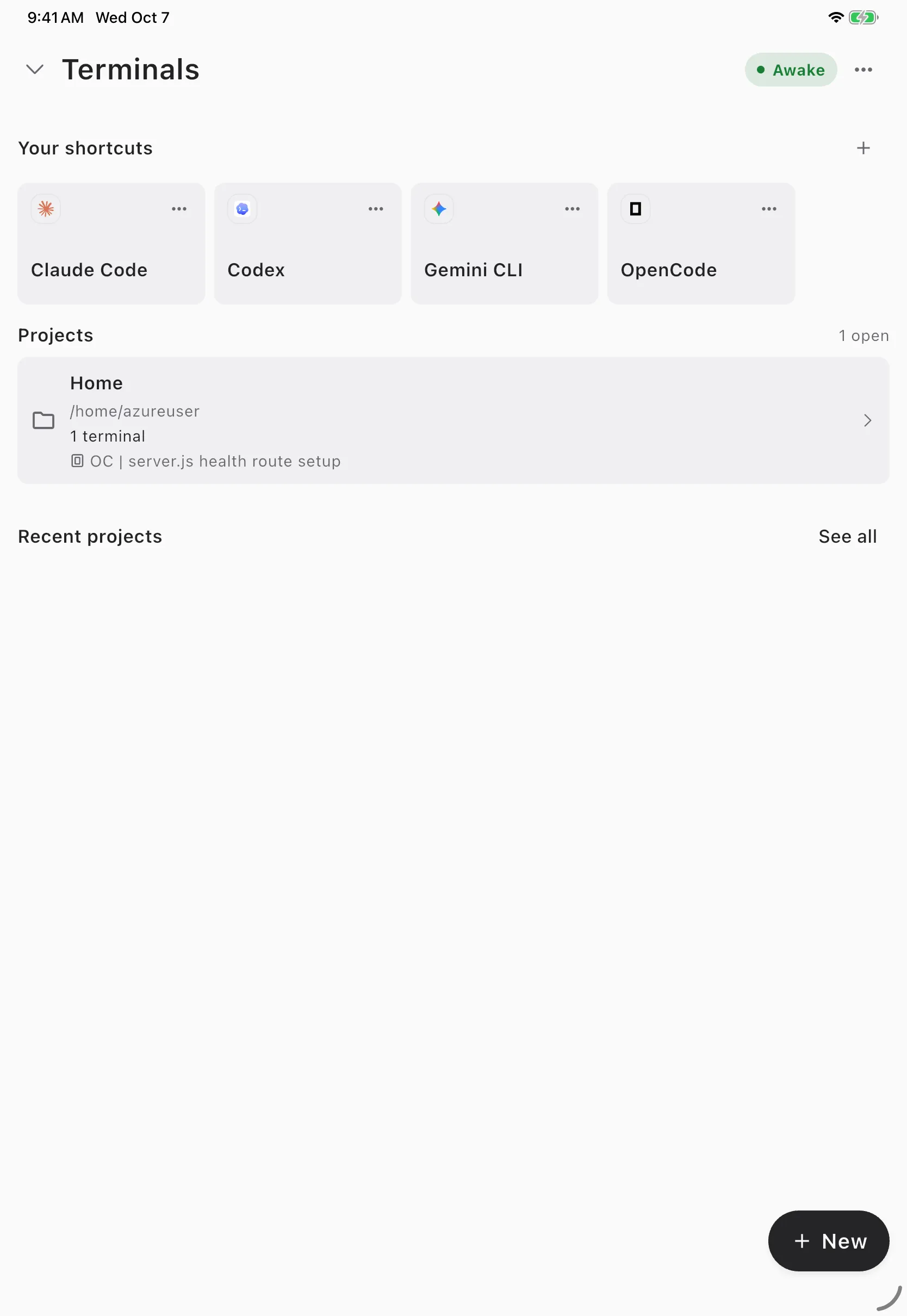
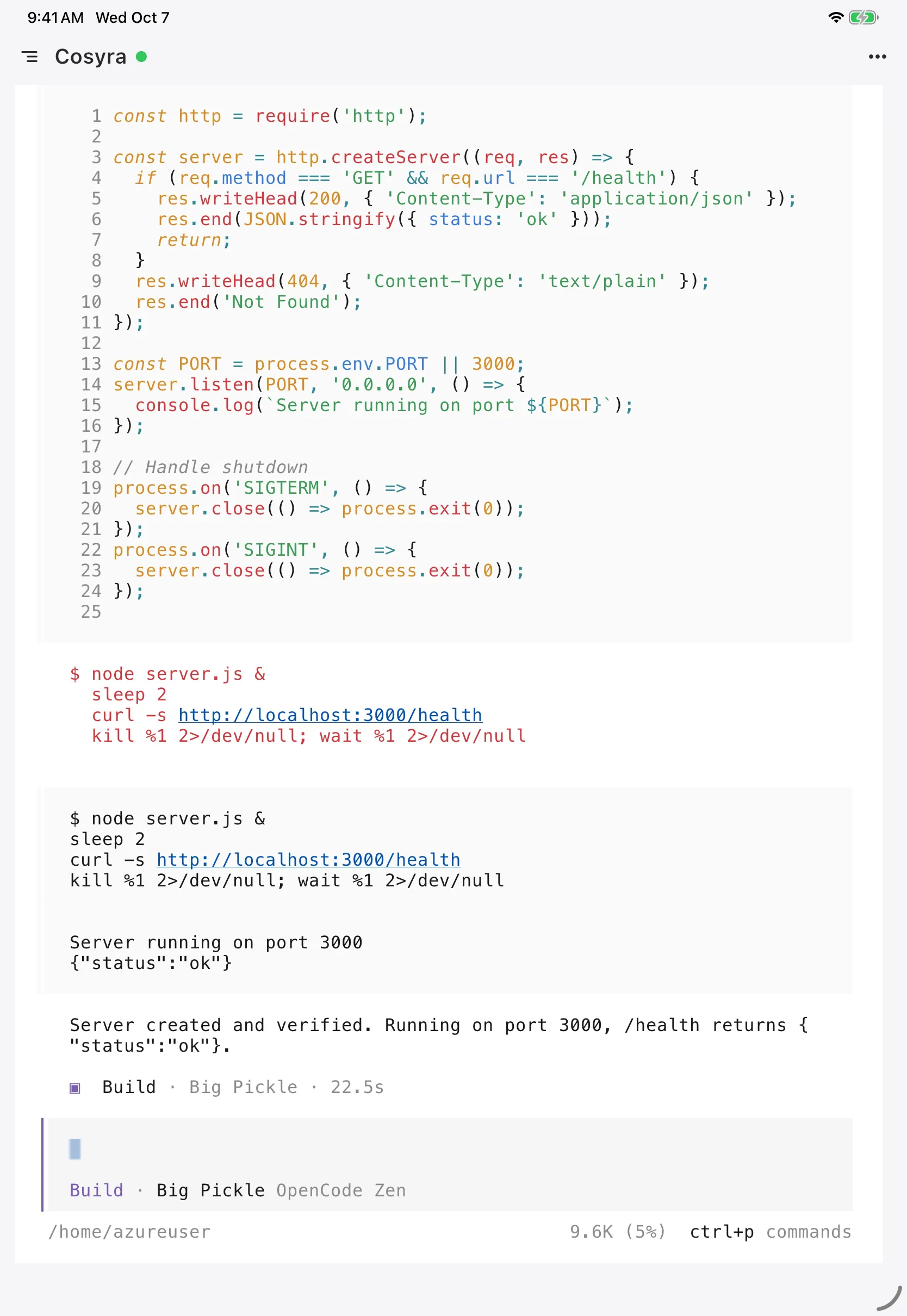
Cursor on iPad means the official Cursor app, a native iPadOS 26 app that starts, follows, and reviews cloud agents. It does not run the Cursor editor. Cursor's own help page says the app is "built for directing and reviewing agents, not for editing," with no editor, terminal, or file browser. Starting an agent from it needs Premium ($30/month) or higher, or a legacy paid plan; Free and Plus accounts can only sign in (as of 2026-10-28). So Cursor on iPad is a capable remote for agents running somewhere else. If what you actually want is to run code on the iPad, you need a terminal on a real Linux machine, which is what we build as Cosyra for iPad. The screenshots above are from our app on an iPad.
We re-read Cursor's iPad docs, changelog, help page and pricing page on 2026-10-28 and lined the plans up one by one, because the answer changed twice this year: first when the iPad layout landed, then when Cursor repriced after SpaceX closed its acquisition of Cursor's parent on 2026-08-14. Everything below is dated. For the phone version of this question, see our Cursor on your phone guide; for the head-to-head, Cosyra vs Cursor.
What the Cursor iPad app is (and is not)
The app is a client for Cursor's cloud agents. An agent runs on a cloud machine (or on your own computer through Remote Control), writes code in a branch, and opens a pull request. The iPad is where you start it, watch it, send follow-ups, and merge the result. Cursor's web and mobile docs say it "runs on the same backend as cursor.com/agents and the desktop Agents Window," so an agent started on the couch shows up on your laptop later.
What you can do from the iPad app, per Cursor's docs as of 2026-10-28:
- Start agents on cloud machines, a Team Pool, or your own computer.
- Follow agent chats live and send follow-up prompts.
- Read diffs, checks and comments, then review and merge pull requests.
- Dictate instructions by voice and attach photos or files.
- Get push notifications when a turn finishes.
What you cannot do: open a file and edit it, run a command, browse the repo tree, or manage secrets, MCP servers, source-control setup or billing. Those stay on the web or the desktop app.
What the iPad layout adds over the iPhone app
At the iPhone launch on 2026-06-29 the app ran on iPad in iPhone compatibility mode, a phone-sized window in the middle of the screen. A Cursor staff member said on the Cursor forum the next day that iPad work had been paused to ship iOS first. A month later, the iPad changelog entry (2026-07-29) shipped three things that matter on a big screen:
- Pinned sidebar chats. Several agents stay visible at once, so you can watch a refactor and a test-fix run side by side.
- Split review. A review opens next to the chat, and file diffs render in full instead of in a cramped phone column.
- Apple Pencil markup. Attach a screenshot, drop a comment at a point, or draw on it. For UI bugs this is a faster brief than typing.
That is a better review surface than the phone. Reading a 300-line diff on an 11-inch screen with a Magic Keyboard is comfortable in a way it is not on a phone on the train.
Which Cursor plan the iPad app needs
This is the part most guides get wrong, because the July changelog said "available on all paid plans" and that stopped being true when Cursor repriced. As of 2026-10-28, Cursor's mobile docs list Premium, Super, Ultra, Teams and Enterprise, plus the legacy Start, Pro, Pro+ and Ultra plans. The help page adds that cloud agents need "a plan that includes them," and names Plus as excluded.
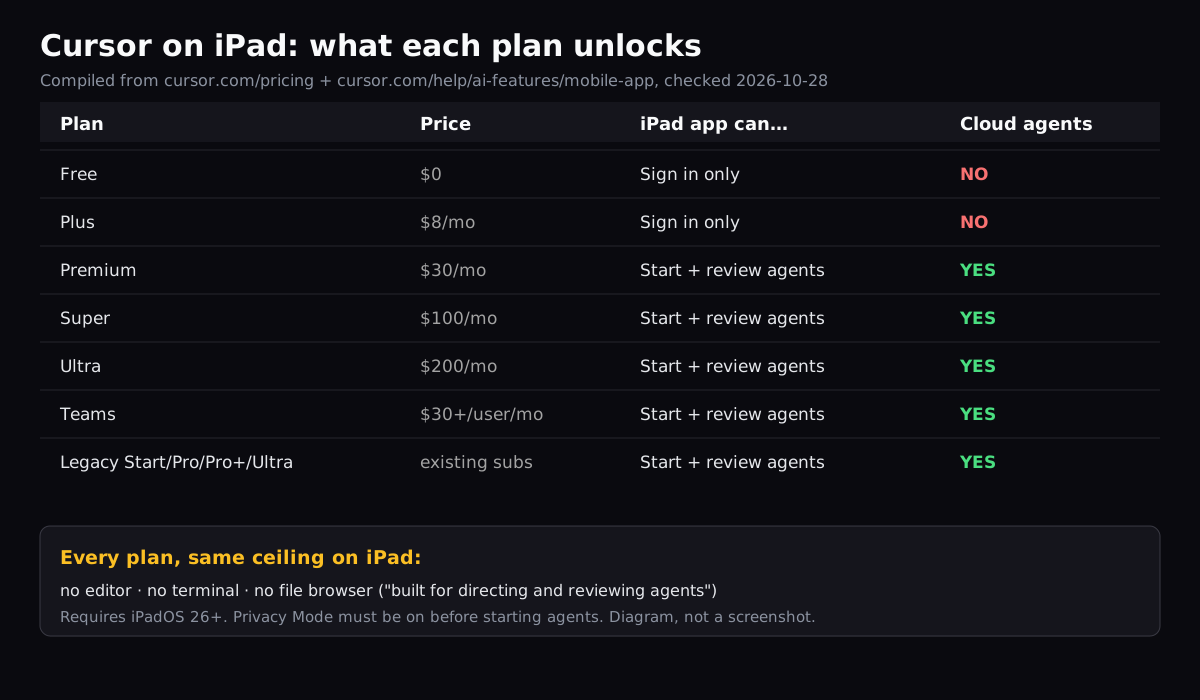
Two more conditions catch people. The app needs iPadOS 26.0 or later, so an older iPad stuck on iPadOS 18 cannot install it. And Cursor's docs require Privacy Mode to be on before you start agents from mobile. On Premium and above, third-party models such as Claude or GPT are billed separately at API list price; Plus only gets Grok models (as of 2026-10-28, per cursor.com/pricing).
How to set up Cursor on an iPad
Step 1: Update to iPadOS 26 and install the app
Check Settings, General, About for your iPadOS version. Then install Cursor from the App Store. The listing's seller now reads X Corp., which is expected after the SpaceX acquisition; the copyright line still names Anysphere.
Step 2: Sign in and check your plan
Sign in with the same account you use on desktop. If you are on Free or Plus, the app will let you look around but not start an agent. Upgrading happens on the web, not in the app.
Step 3: Turn on Privacy Mode and start an agent
Turn on Privacy Mode from the web dashboard if it is not already on. Then pick a repo, type or dictate the task, and keep the chat pinned in the sidebar. When the agent opens a pull request, open the review next to the chat, read the diff, and merge.
The gap: an agent remote with no shell
Here is where we disagree with how Cursor frames mobile. We think an agent
remote without a shell is half a mobile workflow. Agents fail for boring
reasons: a missing environment variable, a flaky test, a dependency that
will not install. On a laptop you open a terminal and look. In the Cursor
iPad app you can only type another prompt and hope the agent figures it out,
or wait until you are back at a desk. Cursor's answer is that editing
belongs on desktop. Ours is that a tablet on your lap is a perfectly good
place to run npm test yourself.
The fix is not to replace Cursor. It is to put a real terminal next to it. iPadOS split view makes this practical: Cursor on one side reviewing an agent's PR, a terminal on the other with the same repo checked out.
| On the iPad | Cursor app | Cosyra app |
|---|---|---|
| Start and review cloud agents | Yes (Premium and up) | No, runs agent CLIs in your container instead |
| Interactive shell | No | Yes, Ubuntu 24.04 container |
| Edit files | No | Yes, vim or an agent |
| AI agents | Cursor agents (Grok on Plus; others on Premium+) | Claude Code, Codex CLI, OpenCode, Antigravity CLI pre-installed, BYOK |
| Price | Free/Plus cannot start agents; Premium $30/mo | Core $20/mo, Pro $30/mo, no free tier |
| Android | Planned, no date | Yes, native app |
| Minimum OS | iPadOS 26 | See App Store listing |
Getting a real terminal on the iPad
Cosyra gives the iPad a persistent Ubuntu container with a terminal. It provisions a fresh Ubuntu container on first launch, about 15 seconds in our testing, and your files stay there between sessions and across iPad, phone and web. You bring your own model key and pay your provider directly.
$ git clone https://github.com/your-org/your-app.git
Cloning into 'your-app'...
$ cd your-app && git checkout cursor/fix-auth-tests
Switched to branch 'cursor/fix-auth-tests'
$ npm install && npm test
Tests: 1 failed, 63 passed, 64 total
$ claude
> The auth test fails only without REDIS_URL. Mock it and rerun.
The branch name in that example is illustrative: check out whatever branch
your Cursor agent pushed, and you can reproduce its failure yourself. If you
want Cursor's own agent in that terminal, the Cursor Agent CLI is a Linux
binary that installs with Cursor's official one-liner (curl https://cursor.com/install -fsS | bash) and signs in with agent login. It runs on your Cursor
subscription, not a raw provider key. Our Cursor CLI on your phone guide covers that path.
Put a terminal next to Cursor on your iPad. Core is $20/month, Pro is $30/month. No free tier; eligible new users can start a 7-day free trial in the App Store app. App Store / Google Play / Pricing details
Who should use what
Use only the Cursor iPad app if you already pay for Premium or a legacy plan, your agents mostly succeed on their own, and the iPad is where you triage and merge between meetings. It is good at that, and the split review layout beats the phone.
Add a terminal if you want to run tests, poke at a failing build, or use Claude Code or Codex CLI directly from the tablet. Cursor's real free plan and $8 Plus tier are cheaper entry points than ours if you only want an editor on a desktop, but neither starts agents from the iPad.
FAQ
Is there a Cursor app for iPad?
Yes. Cursor's official app runs on iPads with iPadOS 26.0 or later and is still labelled beta. When a user asked for an iPad app on Cursor's forum in February 2024, staff said there were no short-term plans; the iPhone app shipped on 2026-06-29 and the iPad layout followed on 2026-07-29. It is an agent app, not the Cursor editor. [source]
Does the Cursor iPad app use the full screen?
It does now. At the iPhone launch the app opened centered in iPhone compatibility mode on iPad, and Cursor staff said on 2026-06-30 that iPad optimization had been paused to ship iOS first. The iPad layout that followed keeps chats in a sidebar, opens a review next to a chat, and gives file diffs more space. [source]
Can you edit code or use a terminal in Cursor on iPad?
No. Cursor's help page says the app is built for directing and reviewing agents, not for editing, and that it has no editor, terminal, or file browser. For editing, Cursor points you to the desktop app or cursor.com/agents. If you want a real shell on the iPad, you need a separate terminal app connected to a Linux machine. [source]
Which Cursor plan do I need to use the iPad app?
To start agents you need Premium ($30/month), Super, Ultra, Teams, Enterprise, or a legacy Start, Pro, Pro+ or Ultra plan, as of 2026-10-28. Free and Plus ($8/month) accounts can sign in but cannot start agents. Cursor's July 2026 changelog said all paid plans; that changed when Cursor repriced, and Plus is excluded today. [source]
Is the Cursor iPad app better than using cursor.com/agents in Safari?
For watching agents, yes: the app adds push notifications, Live Activities, Apple Pencil markup on screenshots, and the split review layout. For configuration, no: a forum thread from 2026-10-05 complained the iOS app has no settings menu and no access to skills, rules, plugins or MCPs, and Cursor's docs say secrets, billing and admin stay on the web. [source]
Can I run the Cursor CLI on an iPad?
Not on the iPad itself. The Cursor Agent CLI ships for macOS, Linux, WSL and Windows only. From an iPad you can open a terminal app connected to a cloud Linux container and install it there with Cursor's official curl one-liner. It runs on your Cursor subscription, not a raw provider key. [source]
tl;dr
Cursor on iPad is the official Cursor app (iPadOS 26+, beta). It starts and reviews cloud agents with a good split-screen review layout, but only on Premium ($30/month) and up or a legacy paid plan, and it has no editor, terminal or file browser. Use it to triage agents. Use Cosyra next to it if you want a real shell and AI CLIs on the same iPad.
App Store / Google Play. Core is $20/month, Pro is $30/month. No free tier; eligible new users can start a 7-day free trial in the App Store app. See pricing.
For the wider picture, our guide to AI coding agents on mobile maps every agent across phone and tablet, and coding on iPad lines up every editor, agent and cloud terminal that does or does not work on a tablet. If you came from VS Code, see VS Code on iPad; for Anthropic's agent specifically, Claude Code on iPad.
Get a real terminal on your iPad in 3 minutes. Install Cosyra, add your API key, run your code or an agent in a persistent Ubuntu container.